
How to learn HTML from other websites

Viewing source code, using developer tools, and inspecting elements to learn how websites are built.
I stumbled upon the wonderful website of Sophie Koonin (localghost.dev) and noticed a nice pixelart header, along with the resources she used to create it. It was a spritesheet and I wondered how she turned that into a header (and whether it automatically scales).
My initial thought was to check the source code, but I couldn't find it quick enough, so I went for my trusty Element Selector.
How to view the source
Every website is made up of HTML (and often more), which is available to view in your browser.
Some sites prevent you from right-clicking (please don't, there's no point), but you can right-click
and then select View Page Source or similar wording.
You can also use Ctrl + U (or Cmd + Shift +U on Mac) to view
the page source.
(This also bypasses any right-click restrictions)
Viewing source was relativelly easy in the old days, but nowadays websites are more complex, sometimes generated by JavaScript, and often minified (all spaces and linebreaks removed) or just very disorderly.
In fact, I could not spot localghost's header and so I used the element selector in Developer Tools to find it.
Element selector
To open Developer Tools, you can right-click on the element you want to inspect, and select
Inspect or similar wording.
Alternatively, you can open Developer Tools with F12 or Ctrl + Shift +
I (Cmd + Option + I on Mac).
It's often the first tab that has the Element Inspector. In Chrome it's called "Elements"
(or similar in other languages, my screenshots are in Dutch f.e.), while in Firefox it's called "Inspector".
You're gonna want to find something similar that then has a bunch of HTML visible.
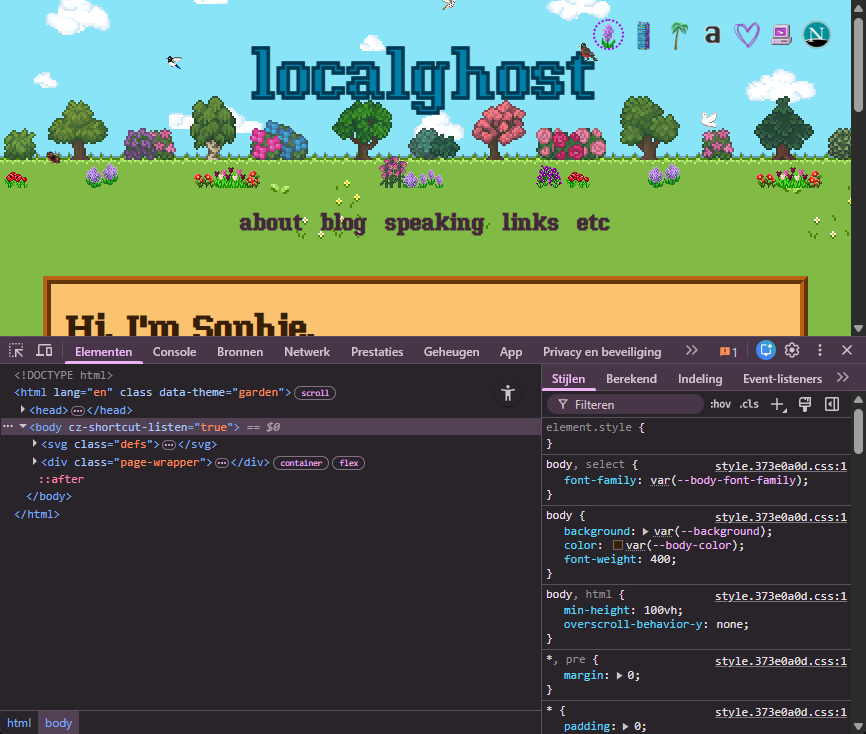
You can use this window (which is different from View Source, as it has collapsible elements and highlights the selected element) to inspect the HTML of the page. But..
The best feature, and the one I'm using to figure out how this pixelart header is made, is the … actually, I'm not sure if it has a name. It's the button that looks like a screen with a mouse in it. An "element selector".
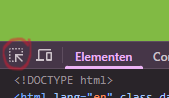
Once this button is activated, you can hover over elements on the page, and click them to inspect them in the Developer Tools window. It will automatically jump to the relevant HTML code.
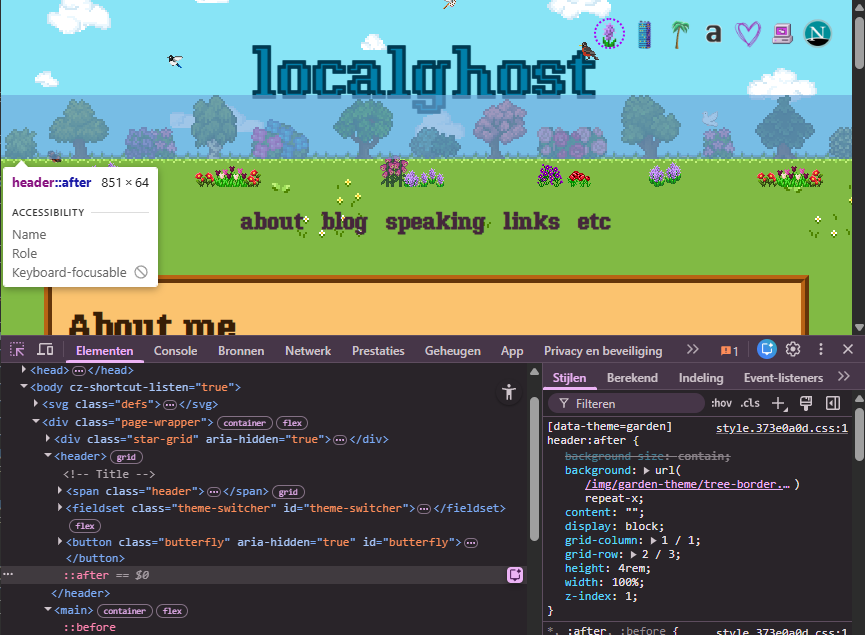
It points me to ::after within a <header> element. This is a CSS pseudo-element, which
you can use to add content to an element without adding it to the HTML.
(This also explains why I couldn't find it in the HTML with View Source)
The code for it is on the right, and turns out it's a background image (966x64 pixels) with the CSS attribute repeat-x
to repeat it horizontally.
Ethics
Just a quick note on ethics: Inspecting source code and elements is perfectly fine, and is how many people
learn web development. However, copying someone's work without permission is not okay.
If you want to use someone's images, designs, or code, always ask for permission and give proper credit.
In fact, Sophie is explicitly mentioning that her site is open source, and you're allowed to steal and learn from her code. She's written nicely about her webdvelopment journey and it sounded very similar to mine.
The same goes for this site, by the way. I added a Creative Commons license to my site, CC BY-NC-SA 4.0 specifically, which means you're allowed to share and adapt my work non-commercially, as long as you give appropriate credit and share any derivative works under the same license.